iPad
The big screen, used well.
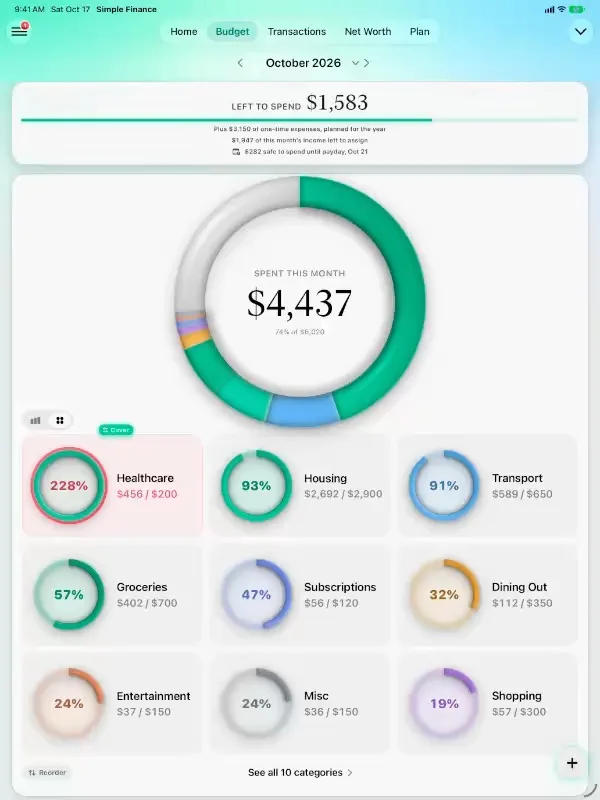
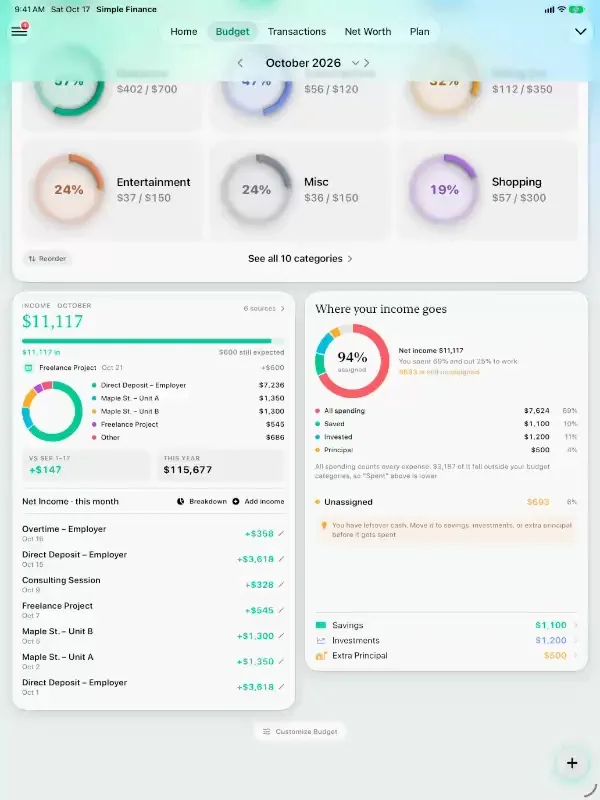
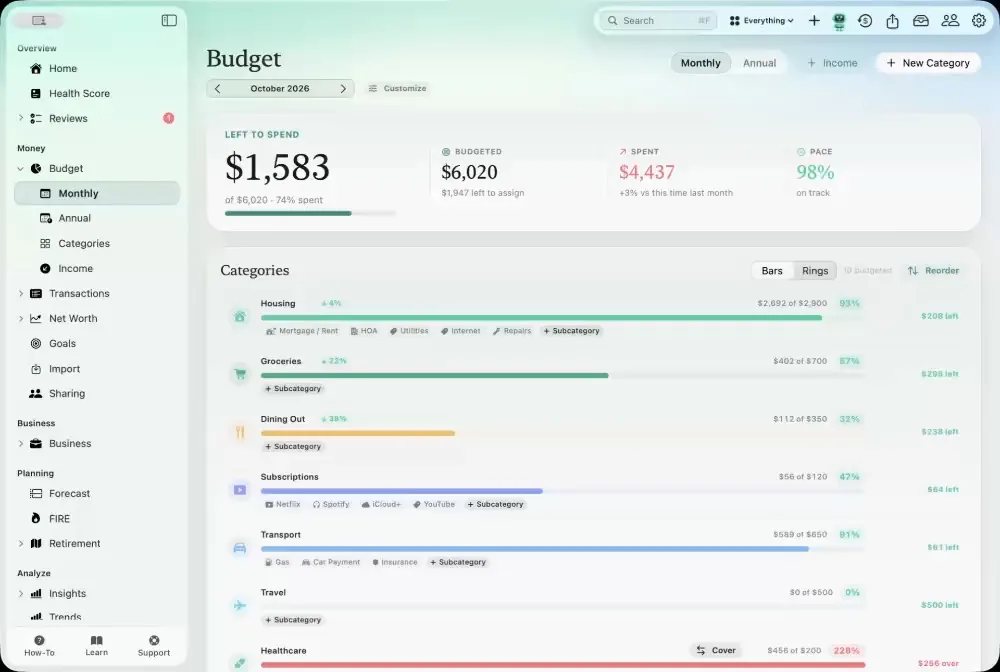
Budget on iPadThe spending ring up top, every category’s ring in a grid, and where your income goes beside it.
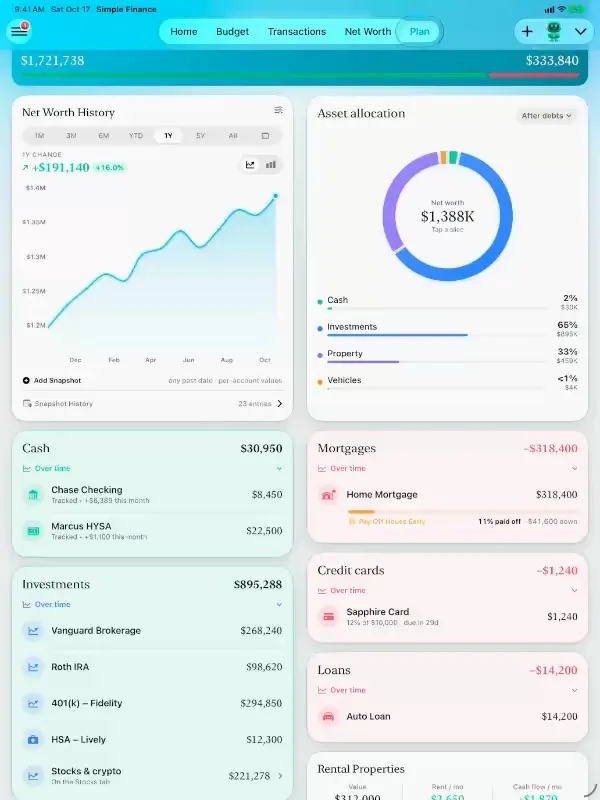
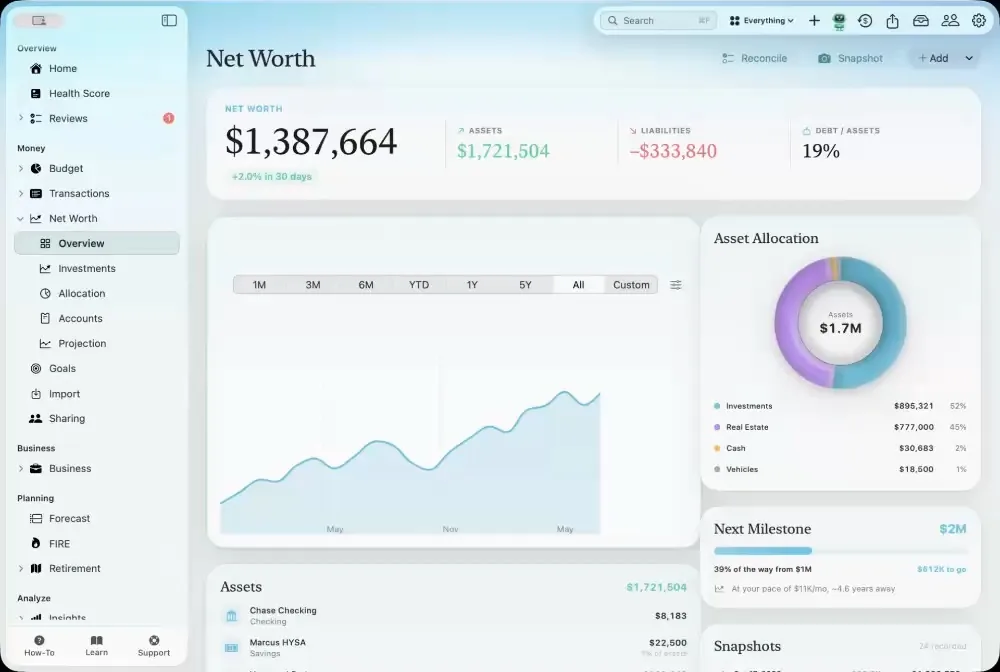
Net worth on iPadHistory and allocation side by side, then every account, loan and property in two columns.
Your plan on iPadThe retirement projection, the levers and the scenarios, all on one screen.Every day
The month at a glance, and the fastest way to log it.
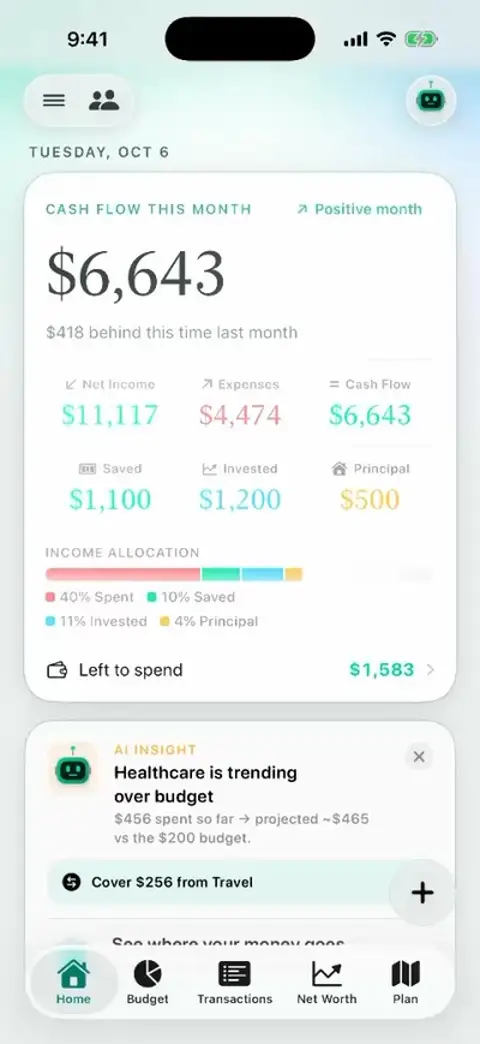
A tour of the monthHome, Budget and Transactions in one pass: cash flow, the spending ring and an even-pace line.
Add an expense three waysType a sentence, say it out loud, or tap it in. Words become fields you check before saving.
Your month as a calendarEvery day shows what came in and went out. Tap one to see exactly what happened.
Bills and what’s still dueWhat’s left to pay this month, the next two weeks, and every recurring charge in one place.
Scan a receiptPick a photo and the store, total and date fill themselves in — read on your phone, nothing uploaded.
Search everythingEvery transaction, account and goal, plus every screen in the app and the Learn library.Budget
A budget that keeps up with you.
A ring for every categorySee the whole month spent at a glance, then each category’s own ring and pace.
The whole year’s budgetSwitch to annual and see the year to date, one-time expenses and what’s left for the rest.
Spending insightsHeads-ups before a category runs over, a six-month trend and where the money really went.Fin
Ask about your money. Watch it answer.
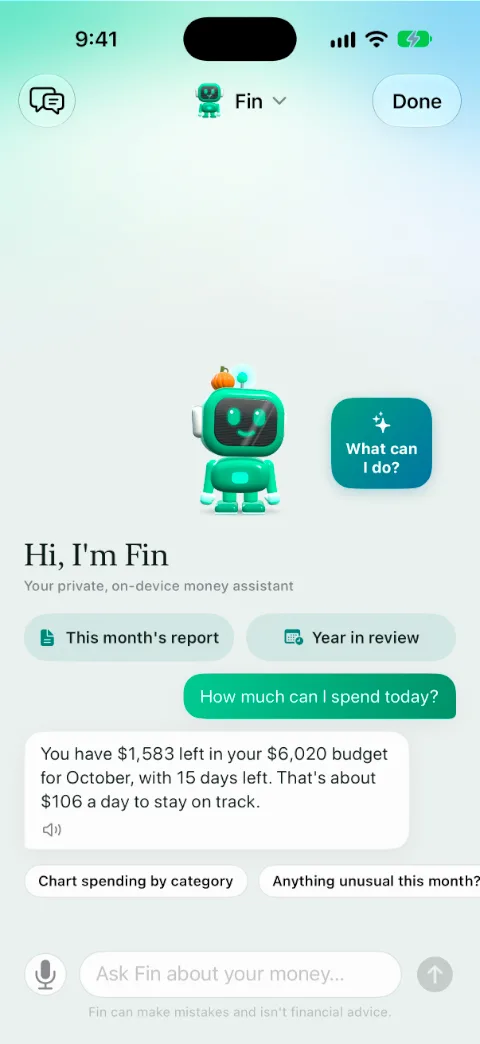
Everything Fin can do, fastSpend today, payday, a subscription audit, logging a coffee, affording a trip, a partner’s dining — in thirty seconds.
Fin answers from your numbersWhat you can spend today, whether you’ll make it to payday, and where last month went.
Fin does things for youCharts on request, a subscription audit, an expense logged from one sentence.Check-ins
Your money, reviewed for you.
A financial health scoreOne honest score built from five pillars, with the fastest way to raise each one.
A weekly reviewOne thing to tidy up, where the week went and what’s due in the next seven days.
Month in reviewWhat you kept, the biggest changes and how each category did against its budget.
Year over yearEvery year side by side — income against spending, cash flow and wealth — then this year to date by category.
Report StudioPick a report — net worth, taxes, a full financial report — and export it as a polished PDF.Wealth
Everything you own and owe, alive.
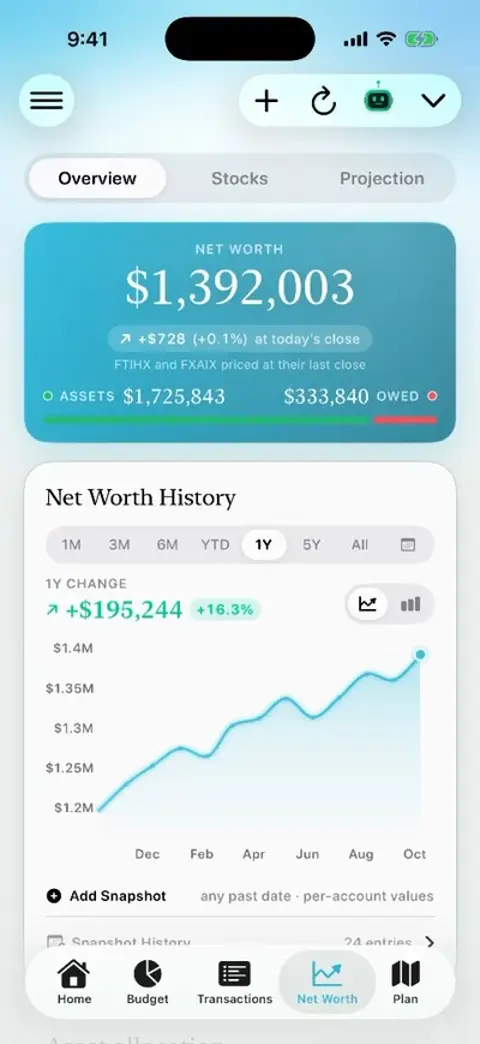
Net worth, liveAllocation, rental income, a history you can drag across, the stock portfolio and a projection.
Every holding, with its chartDrag across a year or five to read any day’s price, with the key statistics underneath.
A dashboard for every loanBalance, how much is paid off, the payment split into principal and interest, and the payoff date.
A rental property, run like a businessEquity, monthly cash flow, cap rate and cash-on-cash return, appreciation and depreciation.
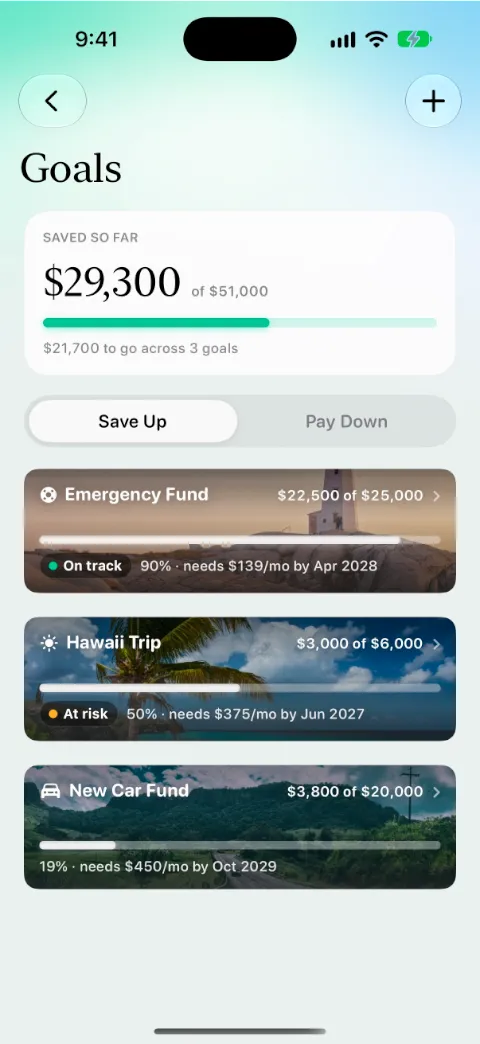
Goals with a pictureEach goal carries a photo of what it’s for, with its pace and the date you’ll get there.Retirement
A plan tested against every market since 1928.
FIRE, with a flameHow close you are to financial independence. Reaching Coast FIRE gets its own moment.
Every year of retirement, as a flowDrag from today to age 91 and watch salary hand off to Social Security, dividends and rent.Together
Share with a partner, on your terms.
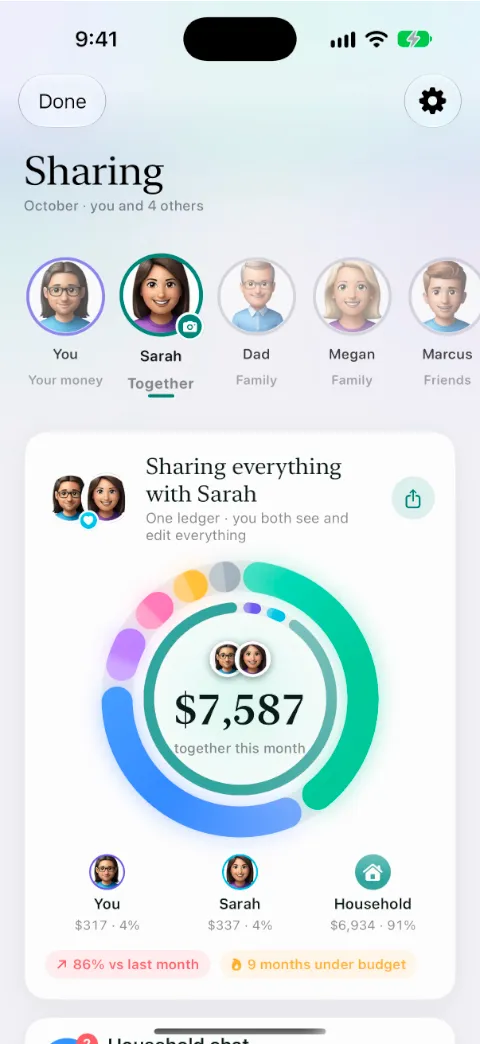
Sharing with a partnerWho added what, a shared budget ring, and a chat that sits beside your money.
A household chat beside the moneyPolls, requests to settle up and a weekly recap, in a conversation with the people you share with.
Fin knows what you shareAsk how your partner’s dining is going, or start a no-spend week together.Moments
Small things that make it feel good.
A welcome that sets you upPick what you came for, then your paycheck and categories, in about five minutes.
Milestones get celebratedNet worth passing a round number is a moment, not a notification.
Payday makes it rainWhen your paycheck lands, the app notices — and says so.
Halfway to a goalGoals cheer you on at the halfway mark, not just at the finish.
Beautiful in the darkEvery screen has a true dark mode, down to the charts and goal photos.Mac
A real Mac app, not a stretched phone.
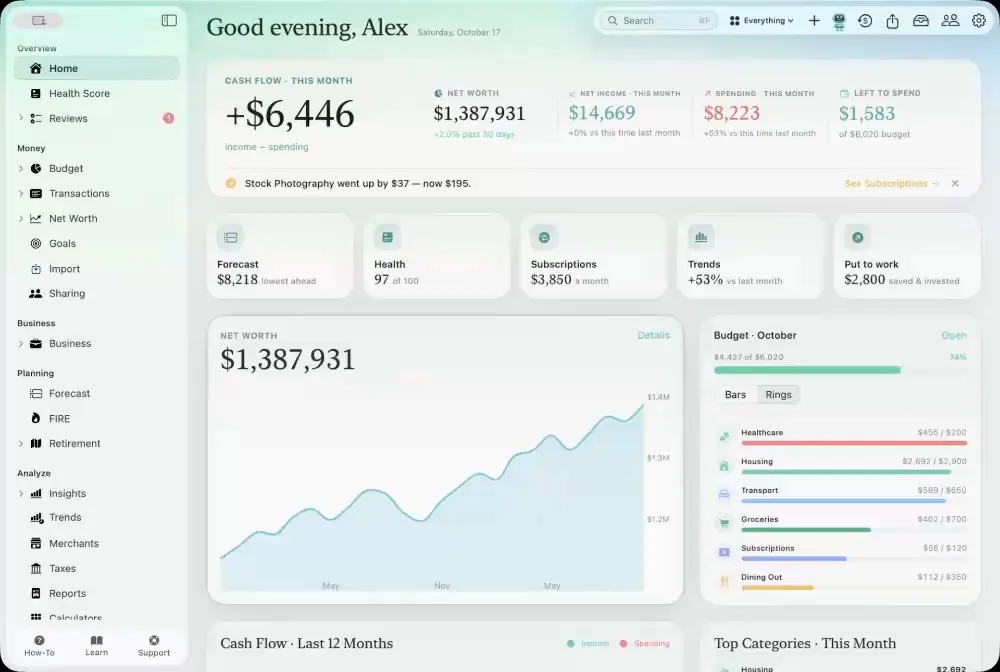
Simple Finance for MacA sidebar for everything: Budget, Goals, Insights, Trends, your health score and Sharing.The dashboardCash flow, net worth, the budget and the last twelve months, laid out like a desk.Type it, and it’s loggedStart typing anywhere in the add sheet: a sentence becomes the amount, the merchant and the category.The budget, in fullEvery category with its bar, its pace and what’s left, readable at a glance.Recurring & billsEvery bill and paycheck on its schedule, and what’s due next.Net worth on MacHistory, allocation and every account, loan and property, with room to breathe.InvestmentsStocks and funds with their history, the holdings mix and how each one is doing.Retirement planning on MacThe projection, the levers and where the money flows each year, with room to see it all.Spending insightsThe biggest movers, top merchants and category trends side by side.Trends over timeA heat map of every day’s spending, income against spending by month, and the flow of the year.Year in reviewThe whole year on one page: cumulative spending, month by month, records and where it all went.Sharing on MacWho added what, the shared ring and settling up — the whole household on one screen.Dark mode on MacHome, Budget, Transactions, Net Worth and Goals, all at home in the dark.Report StudioA complete financial report, previewed live and ready to export as a PDF.CalculatorsMortgages, rent or buy, payoff plans and more, using your own numbers. One app on iPhone, iPad, Mac and Apple Watch, synced through your own iCloud — see every screen.