
Screenshots
See the whole thing.
Every screen worth showing, on the device you actually use. Switch the toggle at the top and the whole page changes with it.
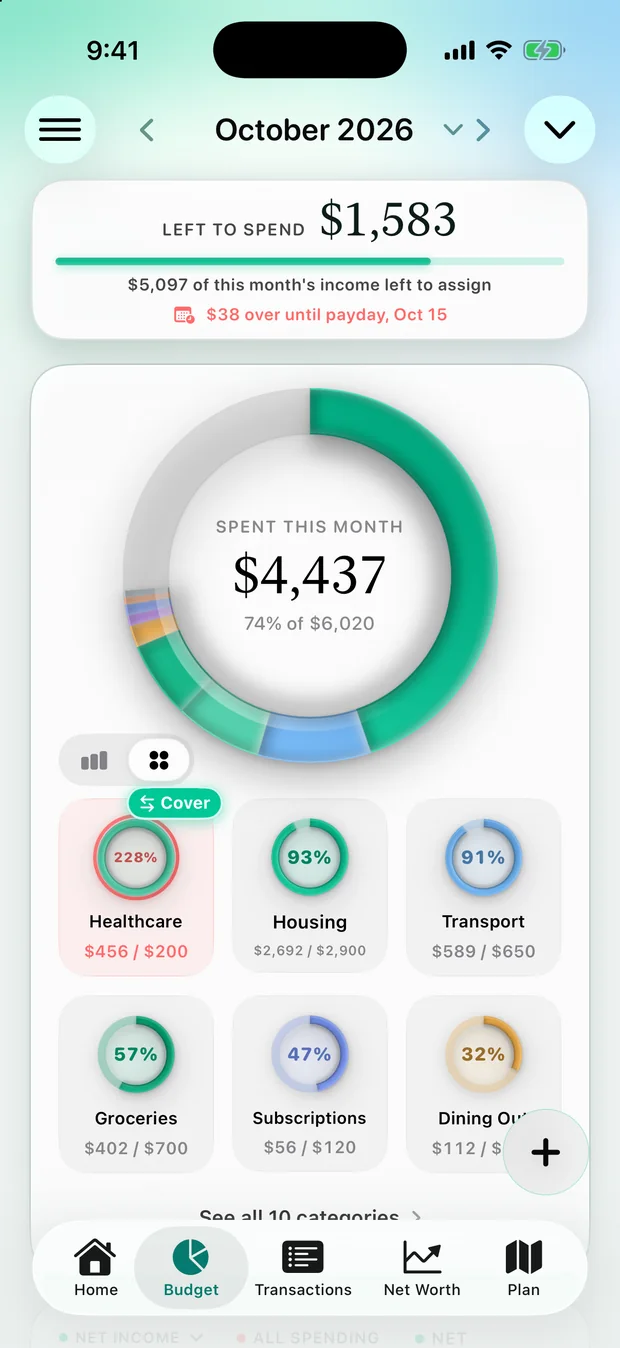
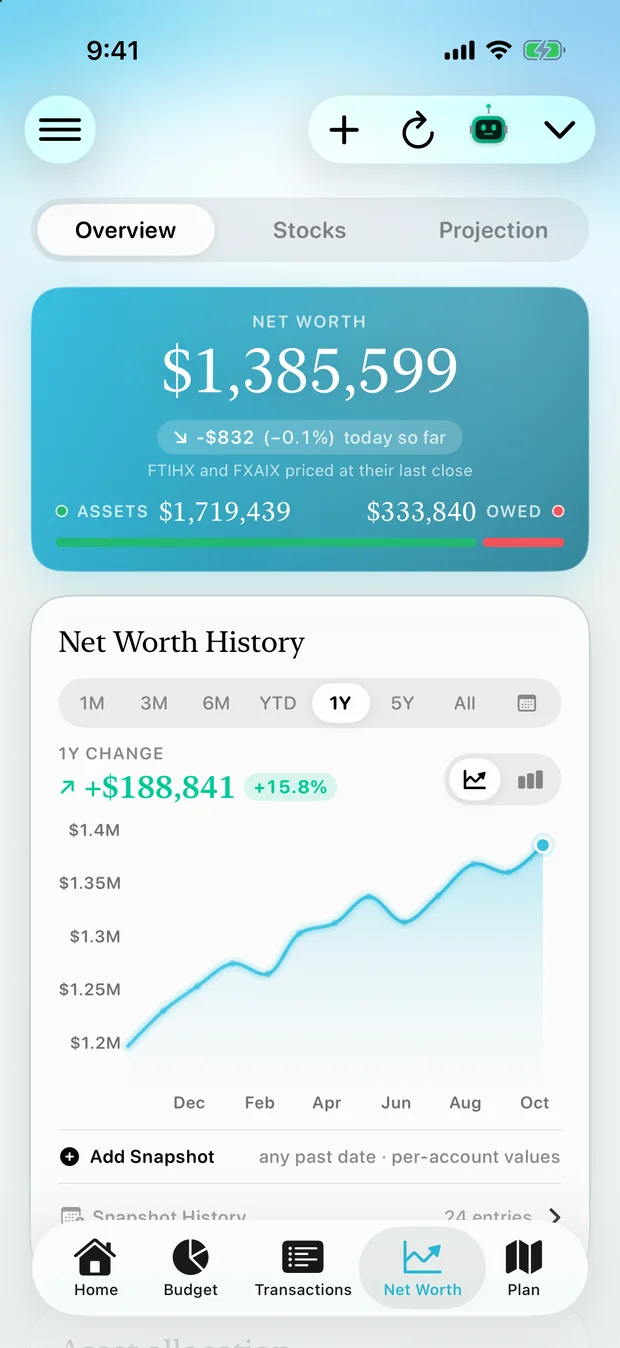
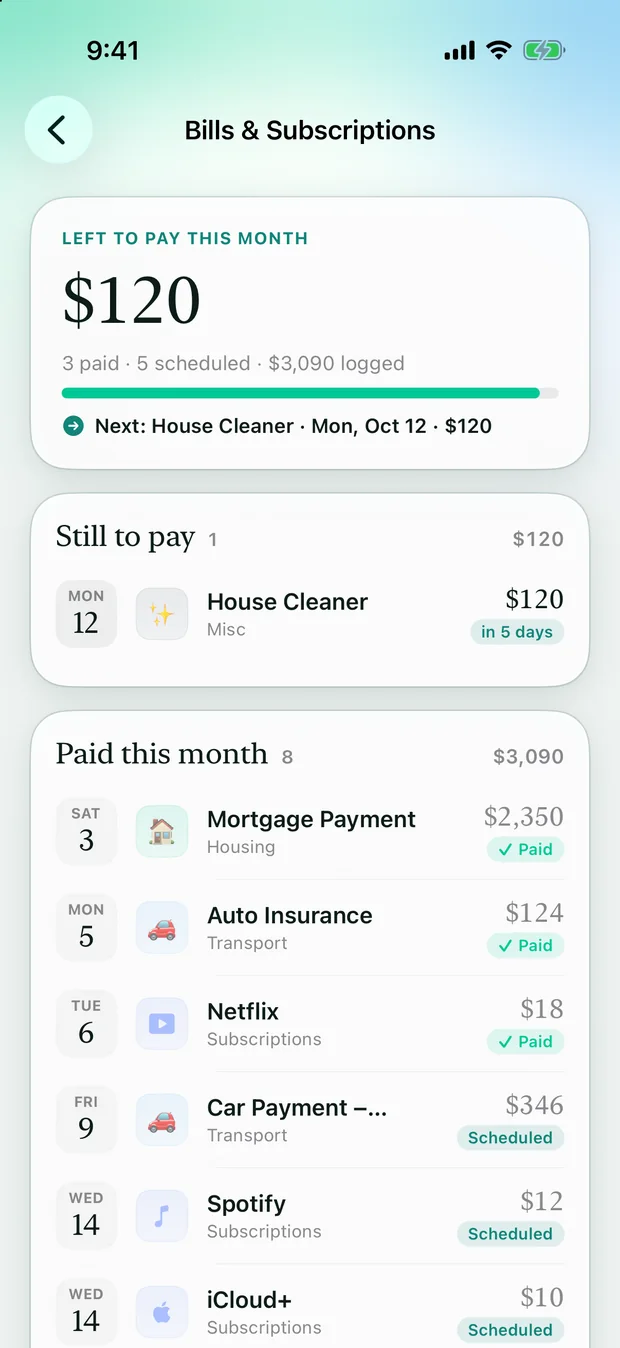
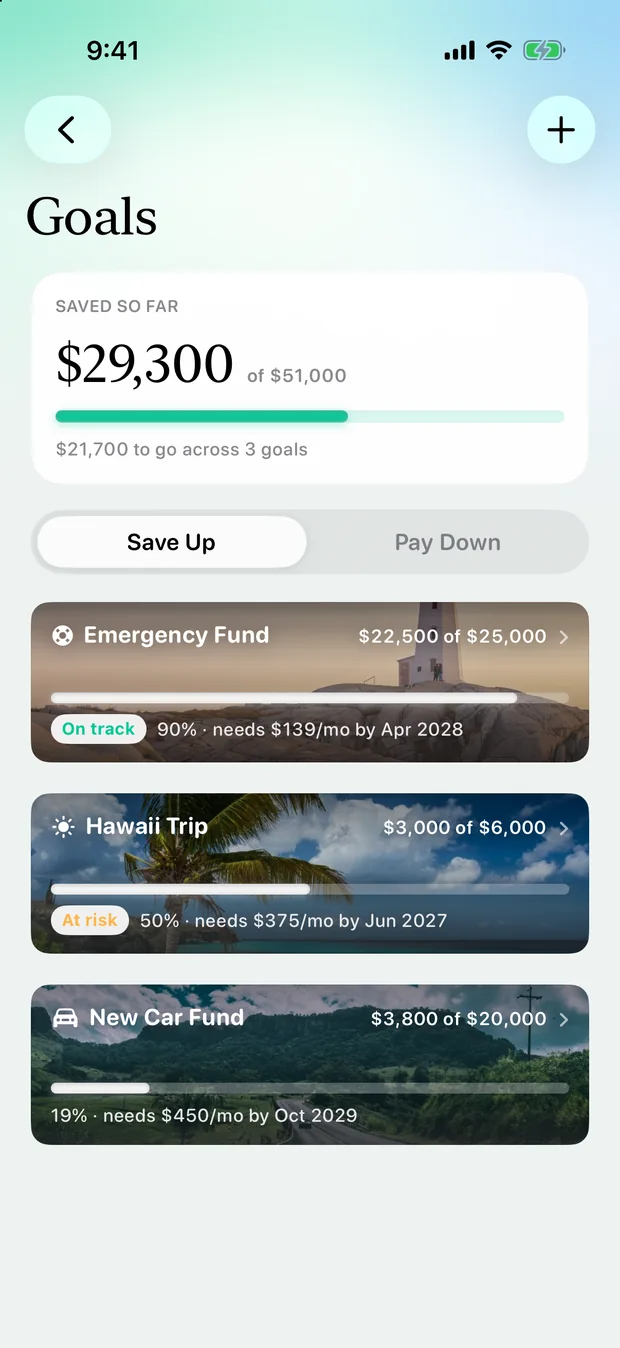
Each row scrolls sideways — drag or swipe, and tap any screen to see it full size.
01
Home
Open the app and the month is already summed up for you.
- Cash-flow header — money in, money out, ahead of last month or not
- A live “left to spend” figure after bills and one-off expenses
- Spending rings per category, with an AI insight when something drifts
- A Sunday weekly review, 6-month trends and year-over-year comparisons
- A dashboard you can reorder and hide sections on




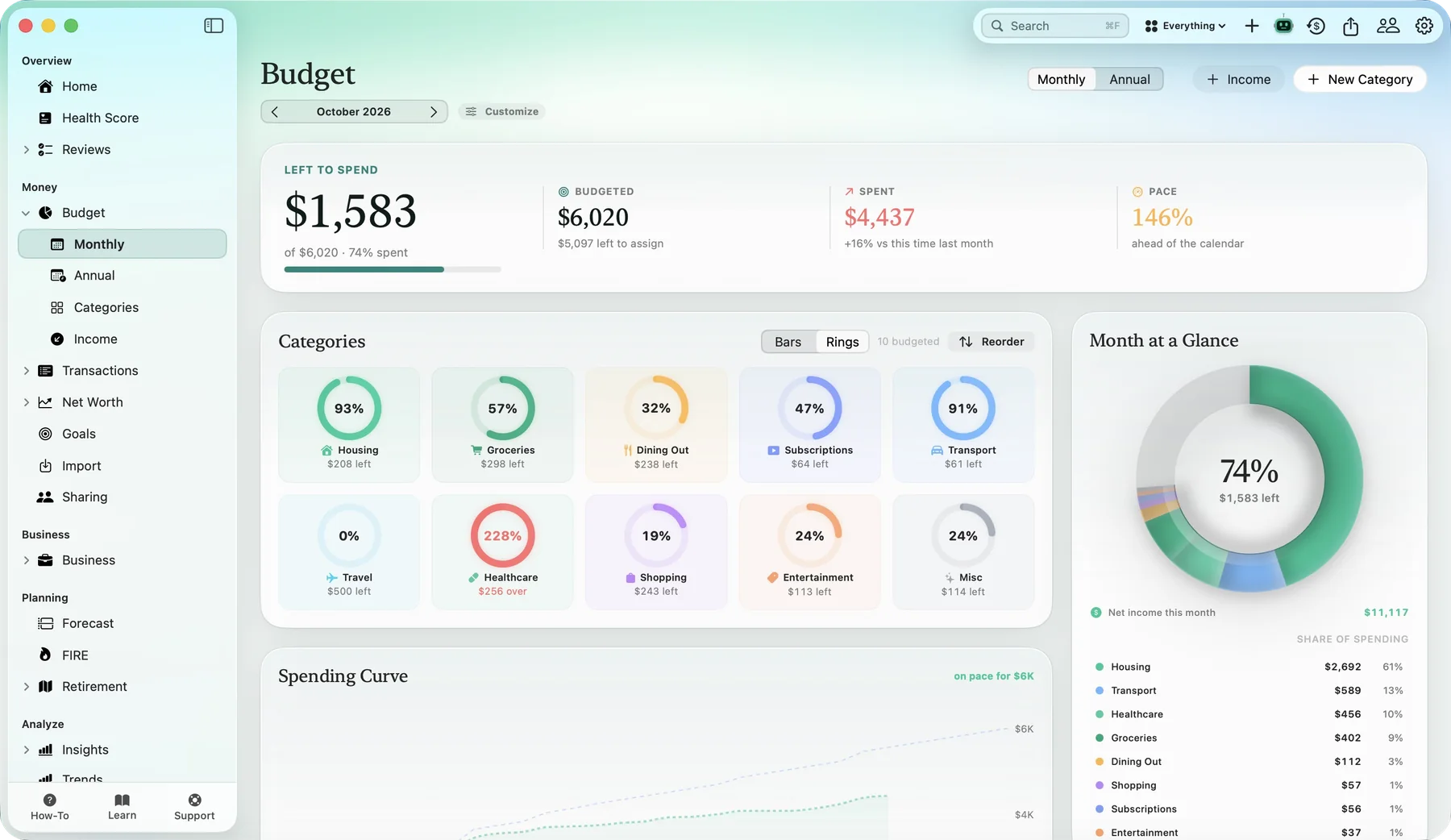
02
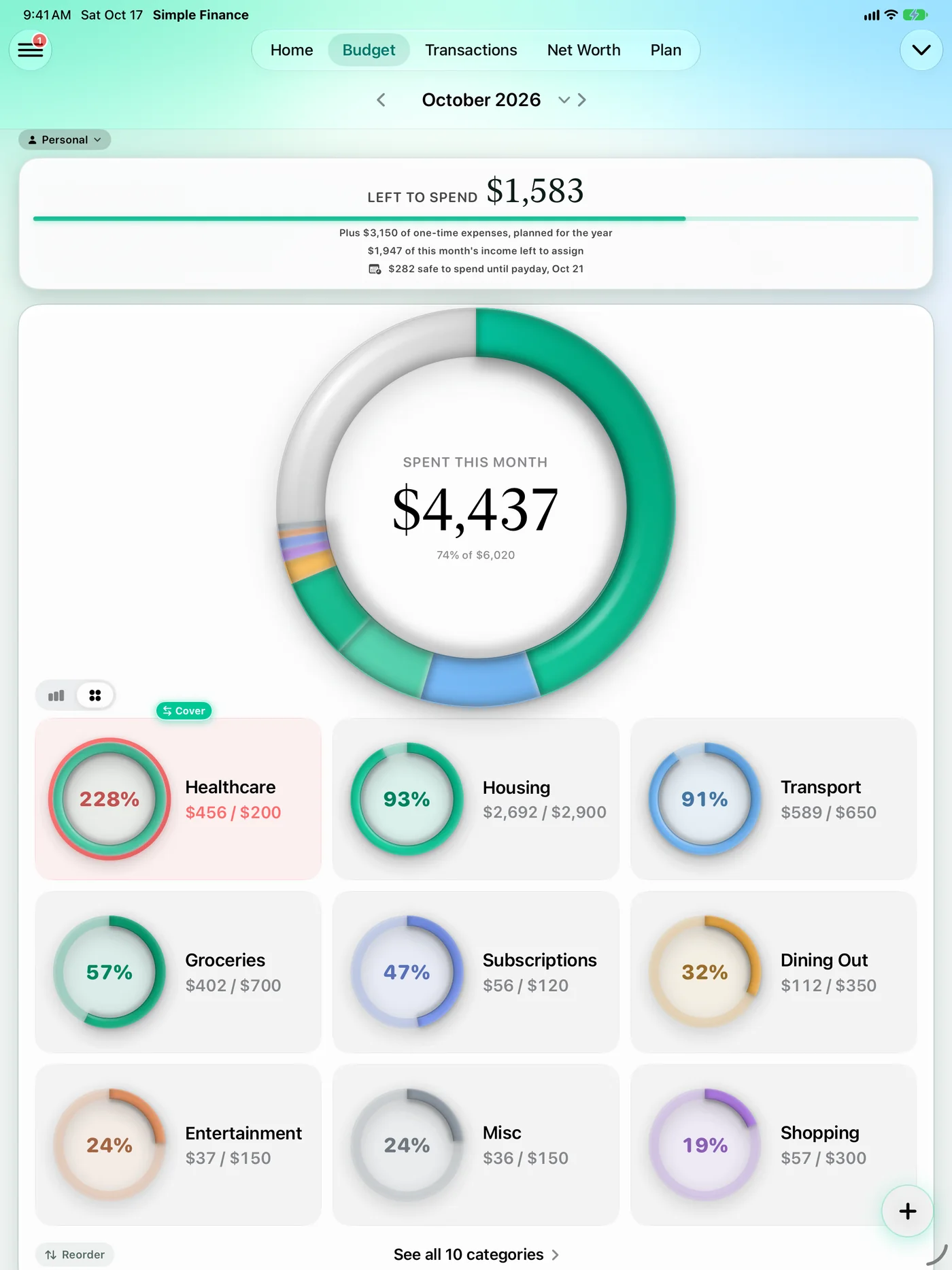
Budgets
Set what each category gets — monthly and annual — and watch the rings fill.
- Monthly limits with rings, plus annual budgets for irregular bills
- A category list with rollover for the ones that don't reset
- Subscriptions detected and totalled for you
- An “overspend cover” that moves money between categories in a tap


03
Transactions
Every row — categorized, split, searchable, and on a calendar.
- Add income, expenses and transfers; split one expense across categories
- A cash-flow calendar showing every day's money at a glance
- Scan a receipt by photo, or import a statement
- Recurring bills on any cadence, a per-merchant view, and full-text search


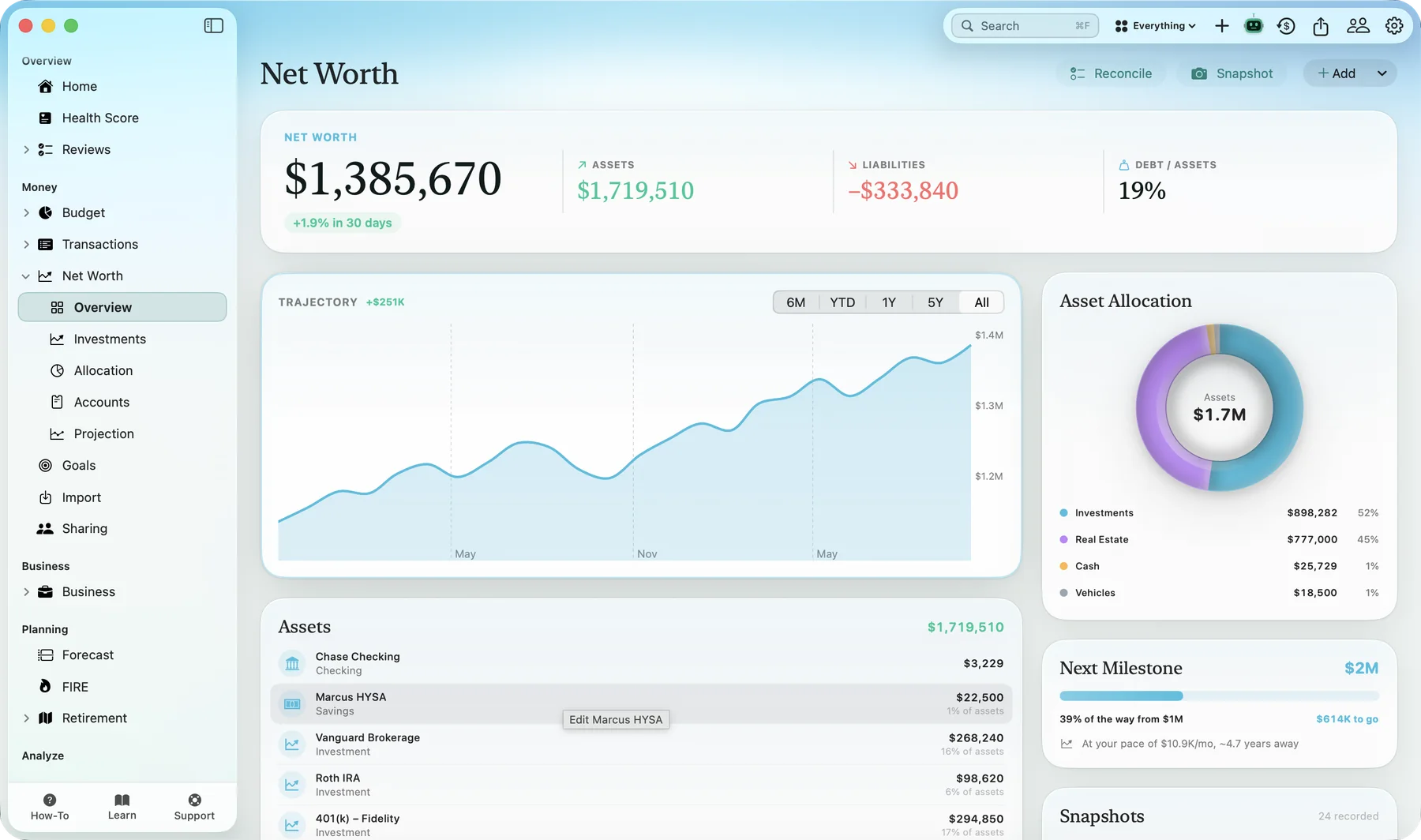
04
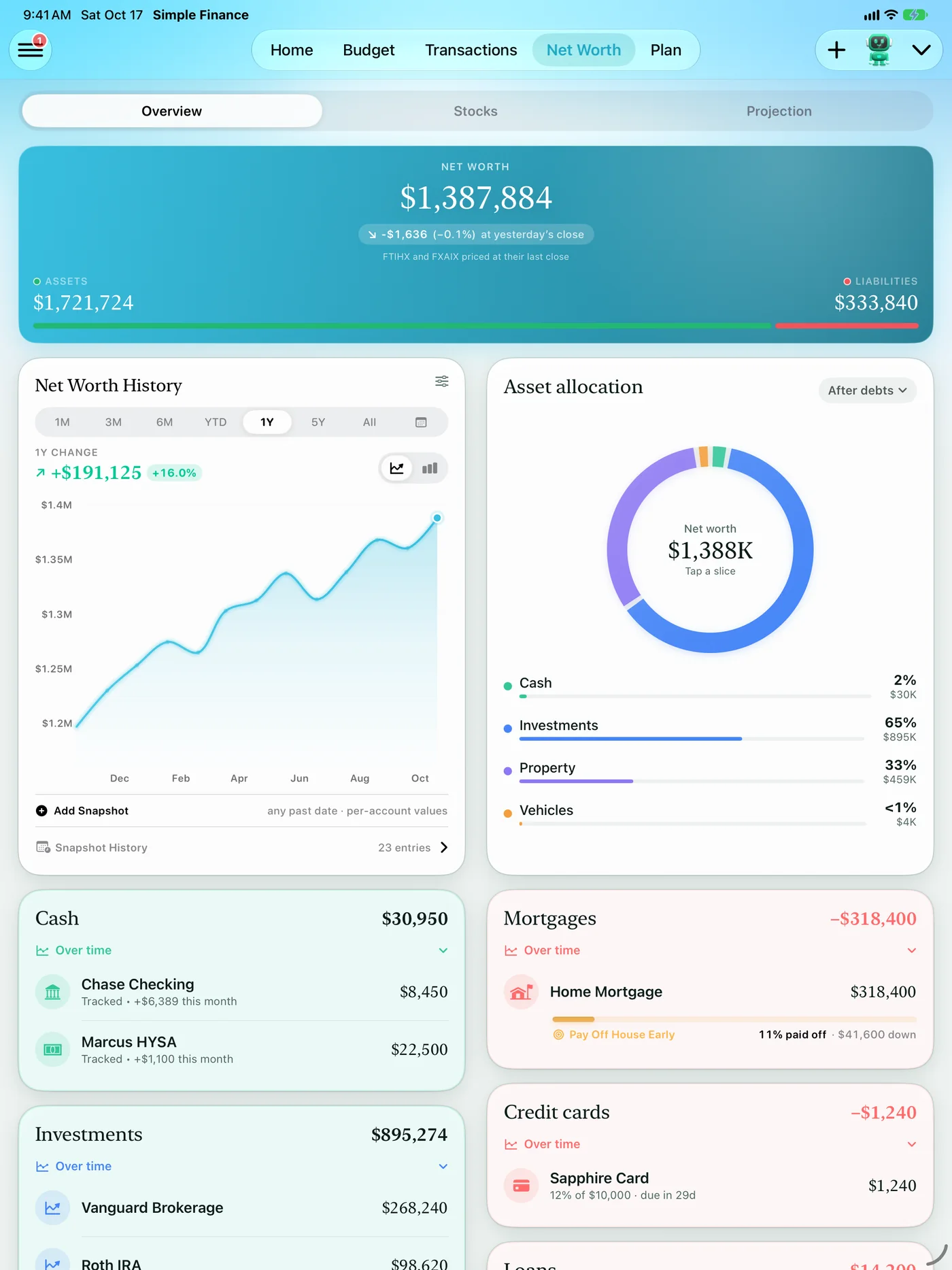
Net worth & investing
Everything you own and owe, in one number with the history behind it.
- Cash, cards, loans, property, stocks and crypto in one net-worth figure
- Holdings with cost basis, live prices and per-position returns
- Asset allocation against a target, and a net-worth projection
- A cash-flow forecast of your liquid balance, and reconcile in one pass


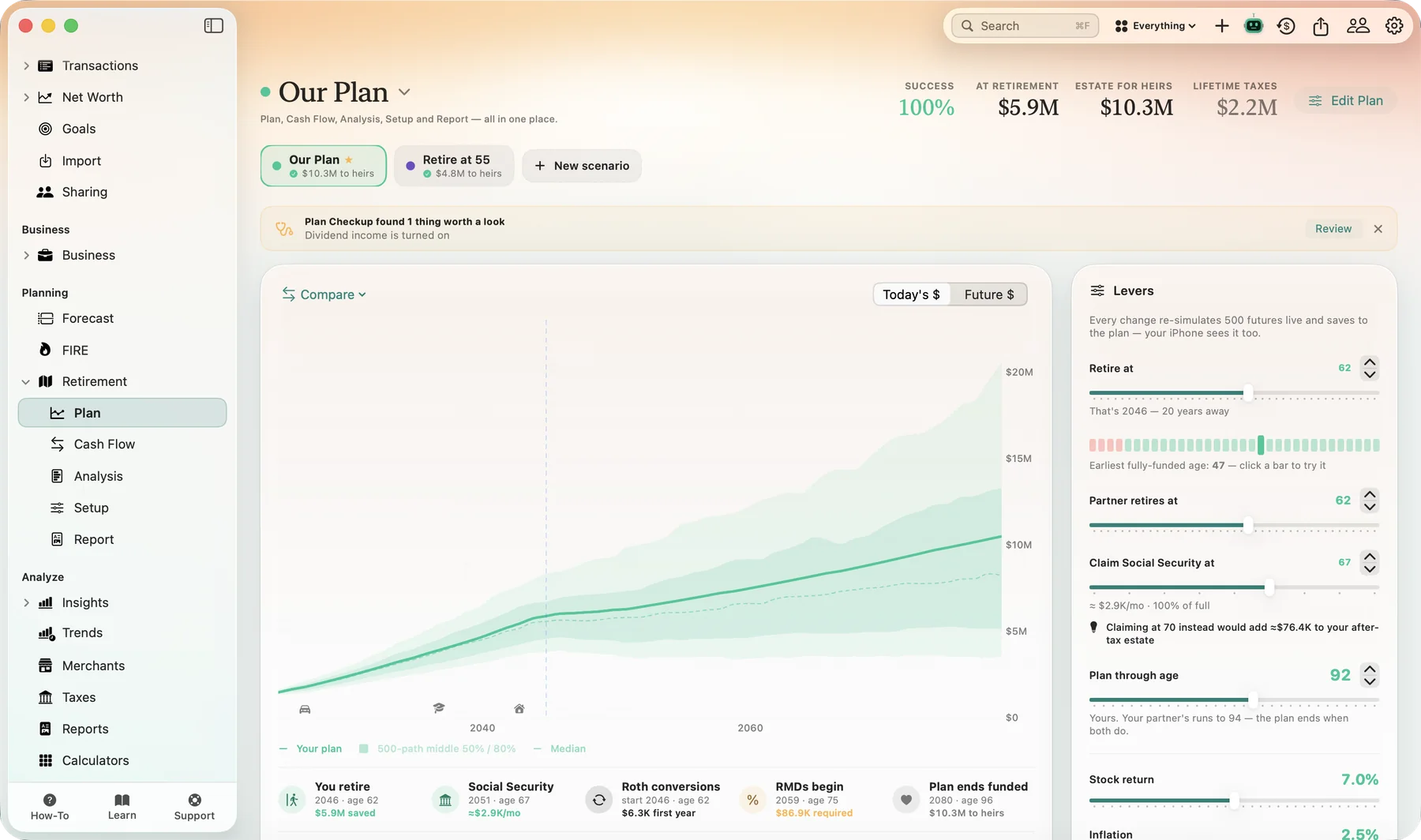
05
Retirement planning
The hallmark: a plan stress-tested against history — see the full retirement page.
- A month-by-month projection of every account to the age you choose
- Monte Carlo across hundreds of futures, plus every real market since 1928
- “What-if” plans — retire at 55? — compared side by side
- A retirement cash-flow view, Social Security timing, and a PDF report


06
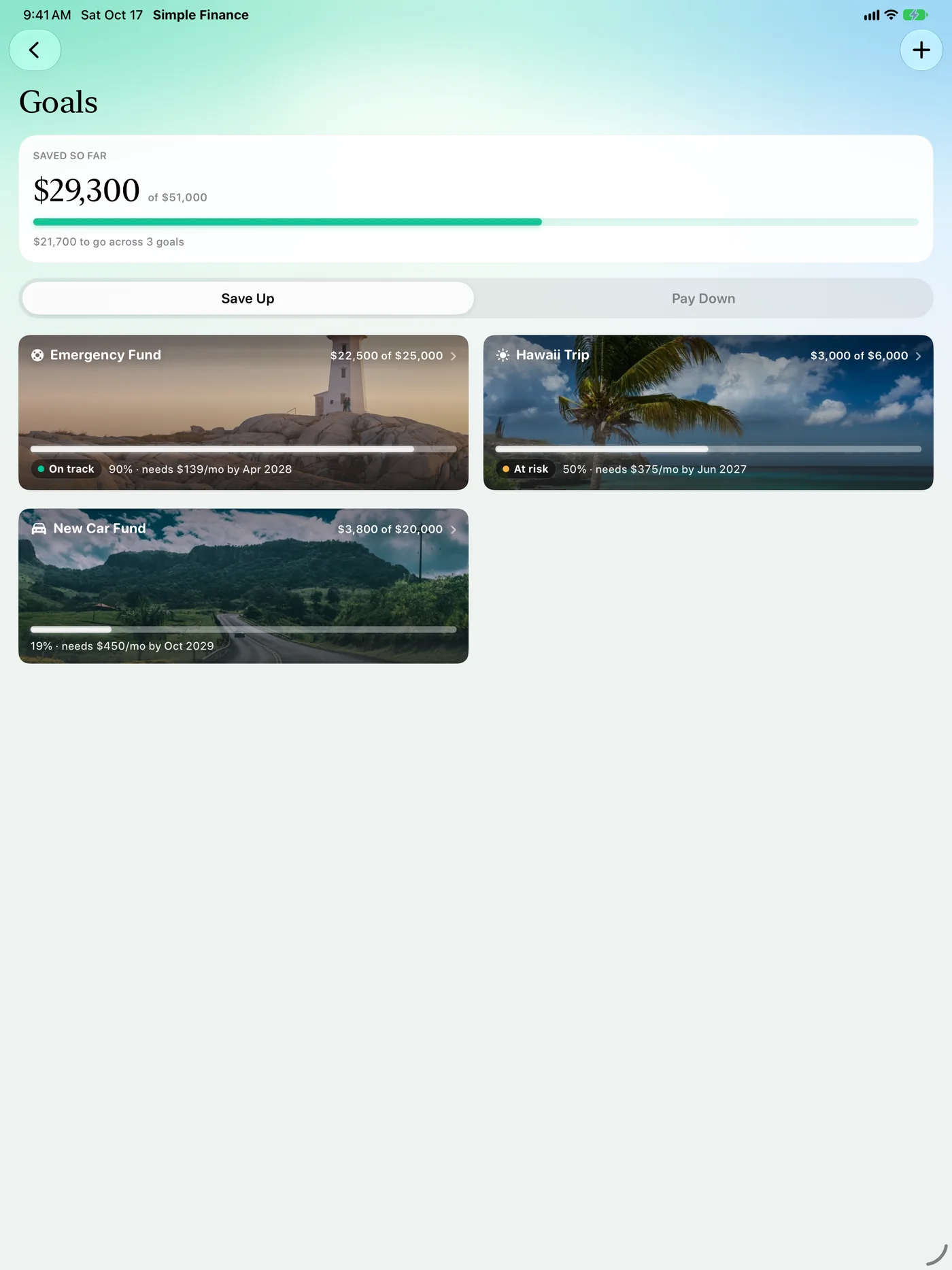
Goals & health score
Targets to aim at, and a single honest read on how you're doing.
- Savings goals and debt-payoff goals with milestones and target dates
- A 0–100 financial health score across five pillars, each with a next step
- A tax estimator built on the current year's brackets


07
Calculators
Sixteen planning calculators — the money math you'd otherwise do in a spreadsheet.
- Mortgage, refinance, home affordability and rent-vs-buy
- Auto, student-loan, credit-card, debt-payoff and biweekly-payoff
- FIRE, retirement, Roth vs. traditional, savings goal and emergency fund
- A take-home-pay breakdown and a tax estimator, prefilled from your own numbers


08
Insight & reports
Where the money went, and the paperwork at the end.
- Spending insights, trends and multi-year comparisons
- A Report Studio that assembles an investor-grade PDF
- Net-worth statements, income & spending, and a year-in-review
- CSV export and per-account statements


09
Business
A full set of books — kept entirely separate from your personal money.
- Invoices and estimates you build and send, with a client list
- Job profit, work logs, crew hours and a job schedule
- Expenses, receivables, mileage and receipts for Schedule C
- A business dashboard, and books that never touch your personal totals


10
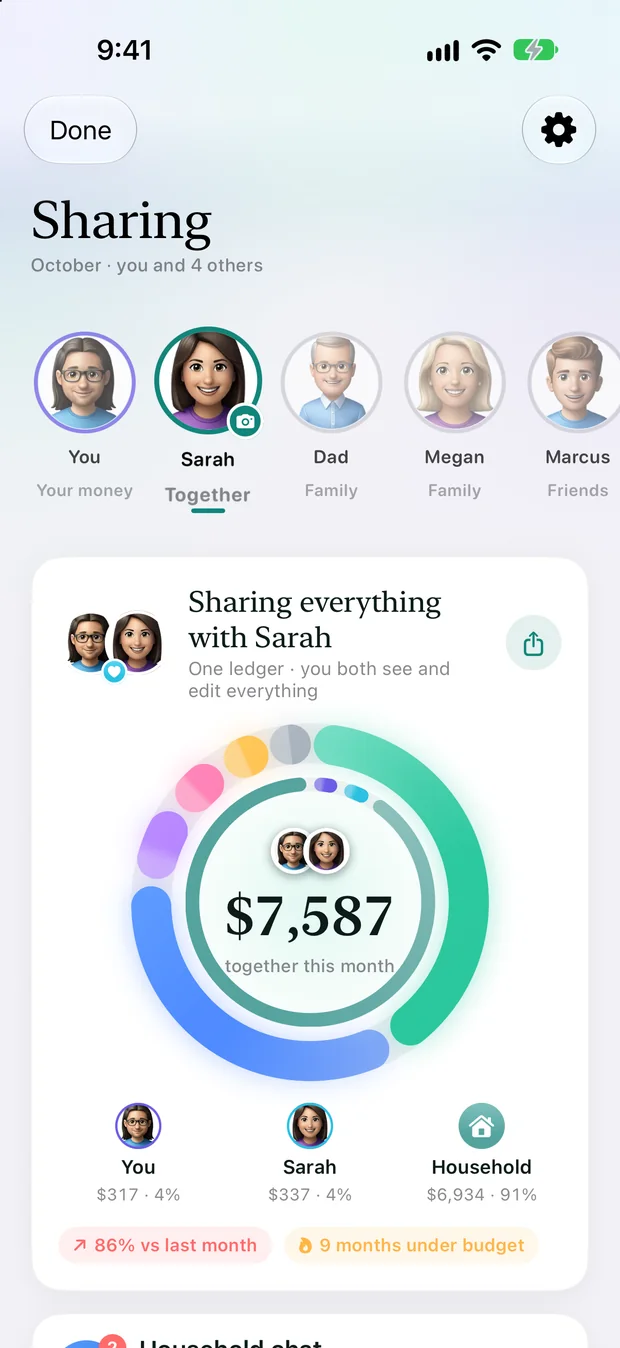
Sharing
A partner, family or friends — each seeing only what you chose.
- A partner shares everything, both ways, with who-added-what on every row
- Family sees a read-only summary you control
- Friends see one scorecard and nothing else
- All of it through your own iCloud — nothing passes through us


11
Fin, on your device
Ask about your own money — and watch it answer.
- Answers from your live data: “will I make it to payday?”, “am I balanced?”
- Builds native charts on request — “chart my spending by category”
- Finds and totals your subscriptions, and flags the ones that went up
- Runs on Apple's on-device model, so the question never leaves your device


12
Make it yours
Accent colors, widgets, alerts and bringing your history in.
- An accent color that recolors the whole app, and configurable widgets
- Smart alerts — large purchases, bill changes, low-balance warnings
- Import transactions from CSV, OFX, QFX or Excel, and read a balance from a photo of a statement
- A feature-request box that goes straight to a real person


13
On your wrist
The Apple Watch app is a real companion, not a notification relay.
- This month's cash flow, what's left to spend and net worth at a glance
- Log an expense from your wrist in two taps
- Recent spending, day by day, and complications on your face


These are the real app, not mockups. Every shot is captured from a running build with the sample data set, which is also what you get if you turn on Demo Mode — so you can open the app and find these exact screens before you type in anything of your own.
Now see it with your numbers.

Free — and free for life if you download now.
Mac iPhone iPad Apple Watch