
Coming soon
What’s new in 3.0.
A redesign of the whole app, a 3D Fin who does things for you, sharing rebuilt around people, and loan details for every loan. A preview of what’s on its way to iPhone, iPad and Mac.
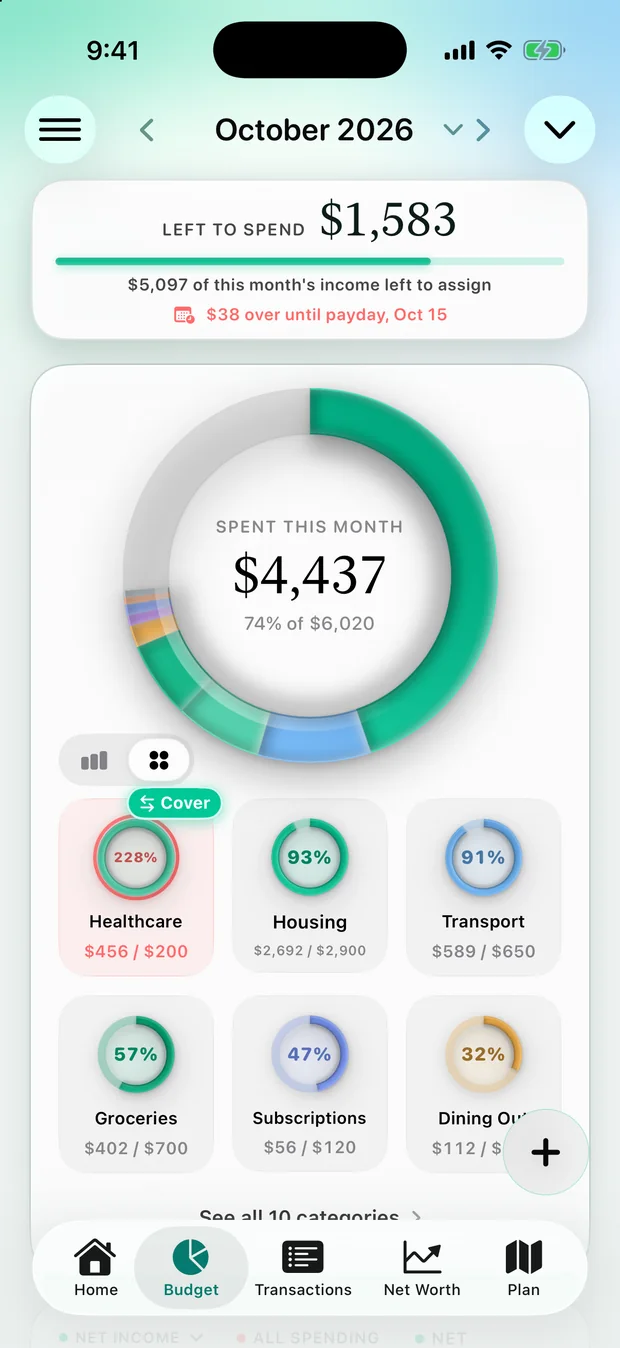
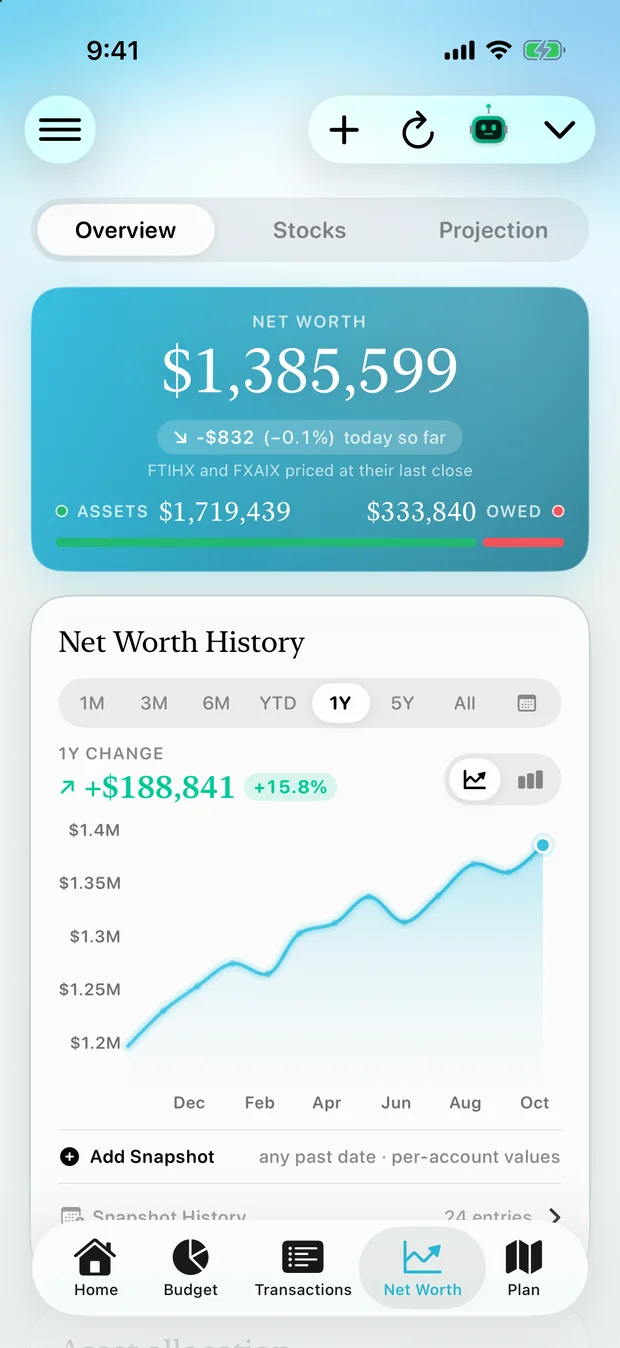
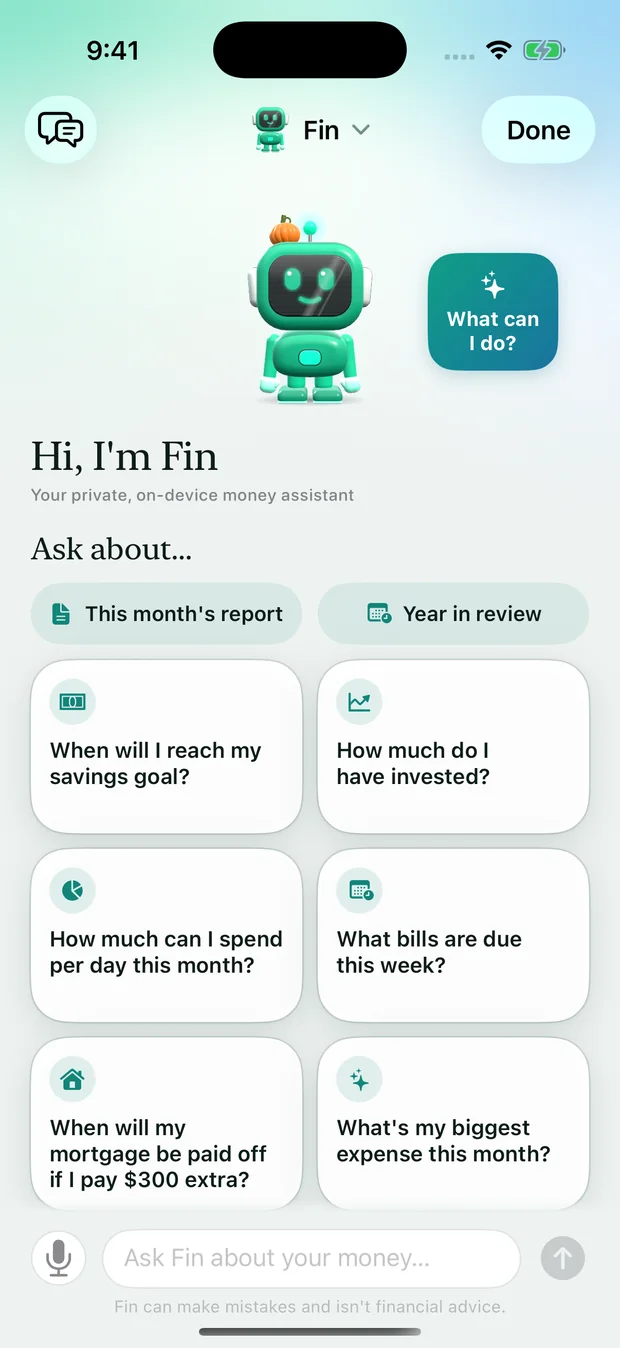
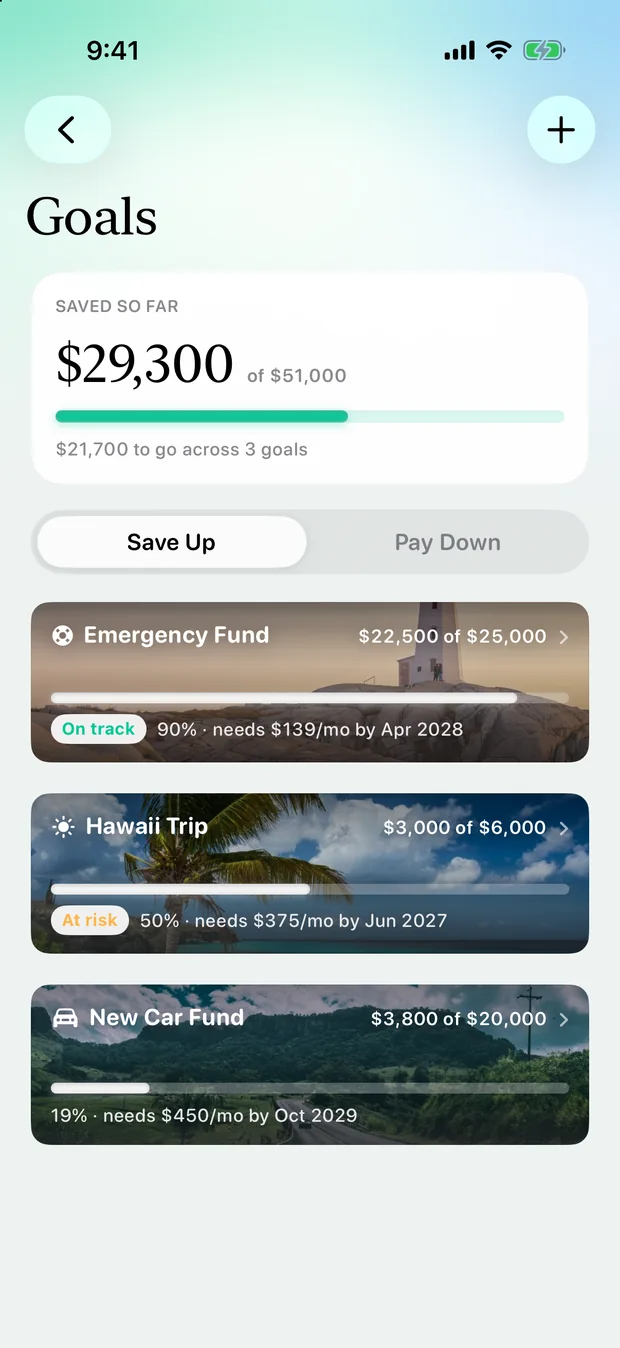
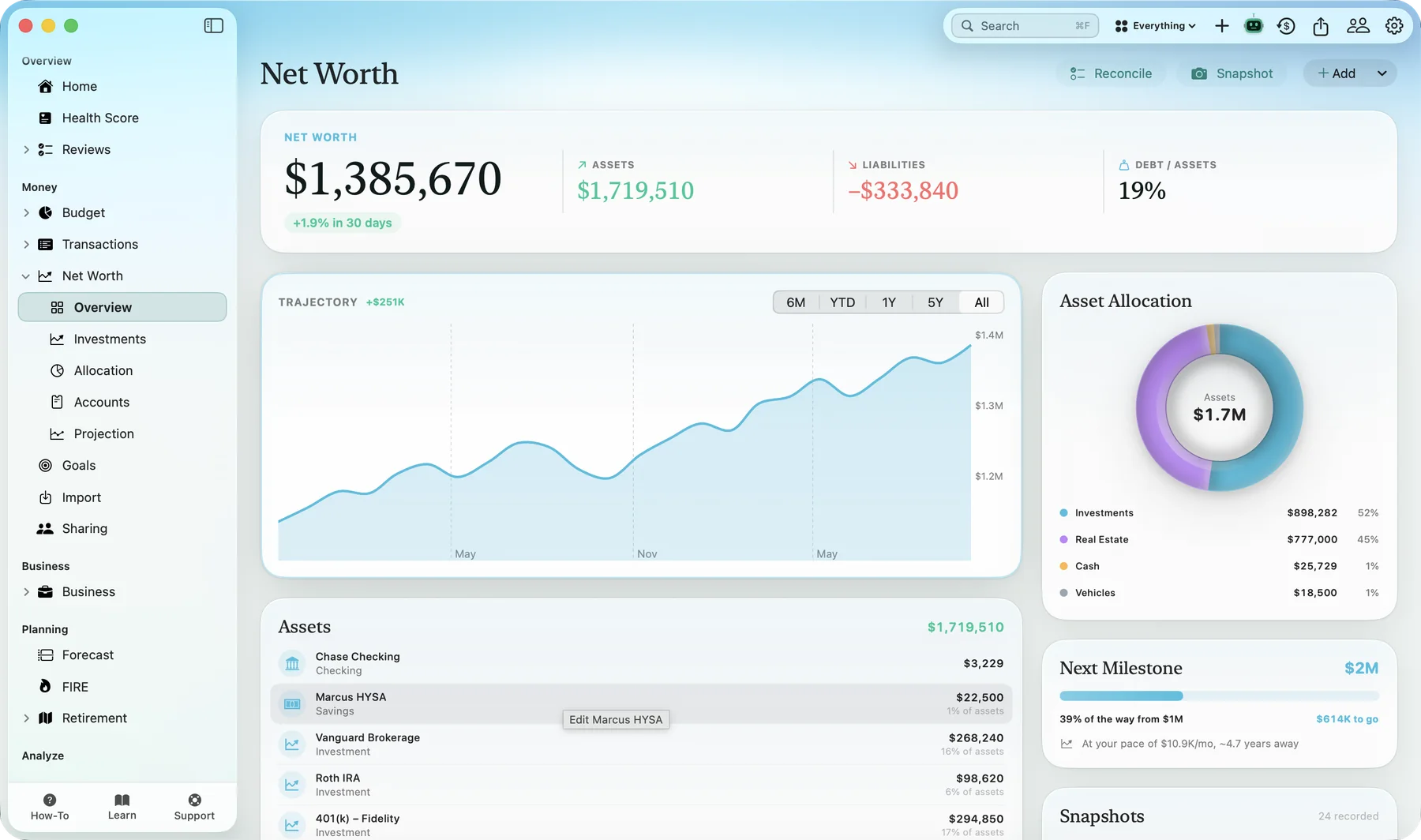
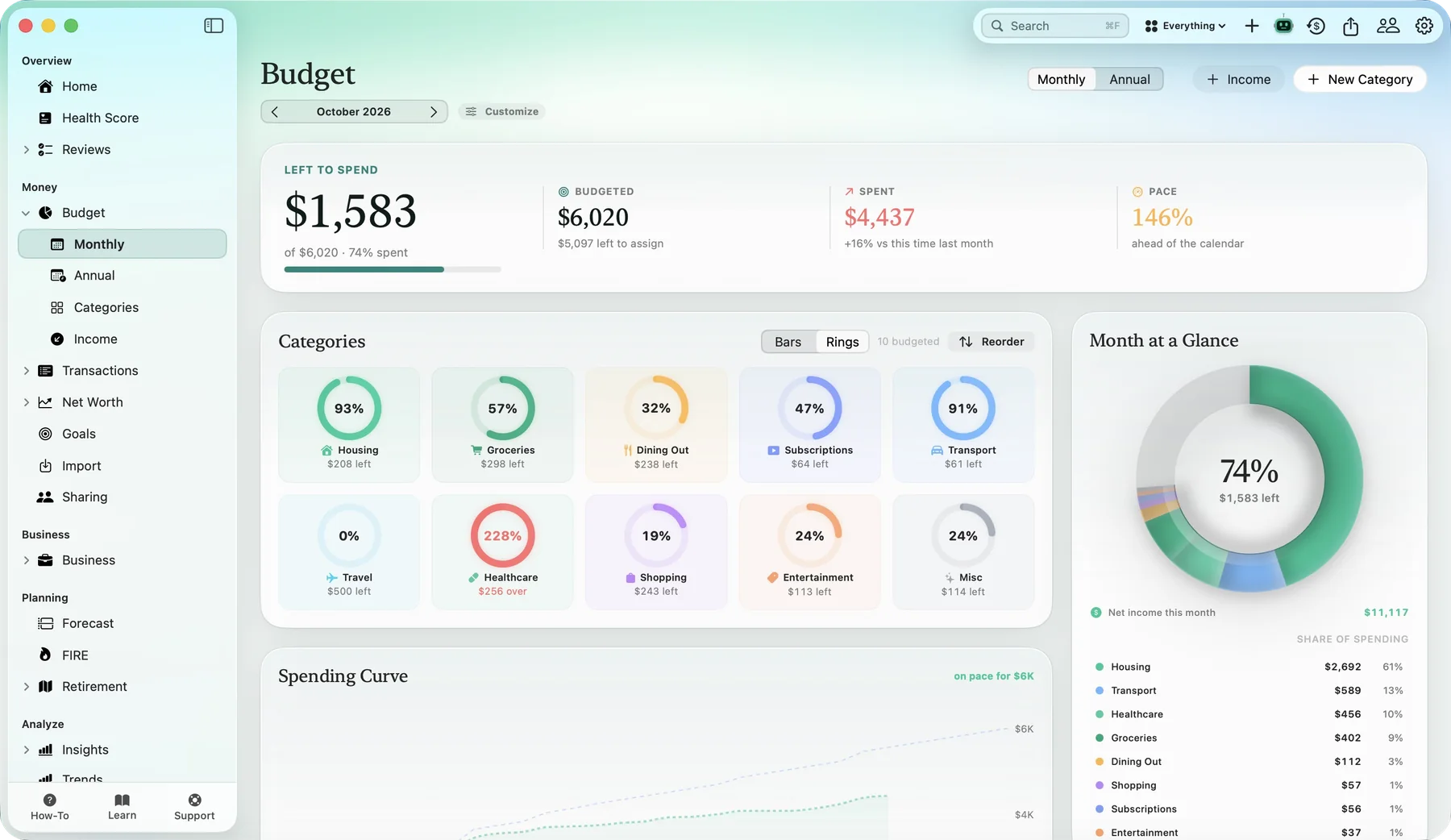
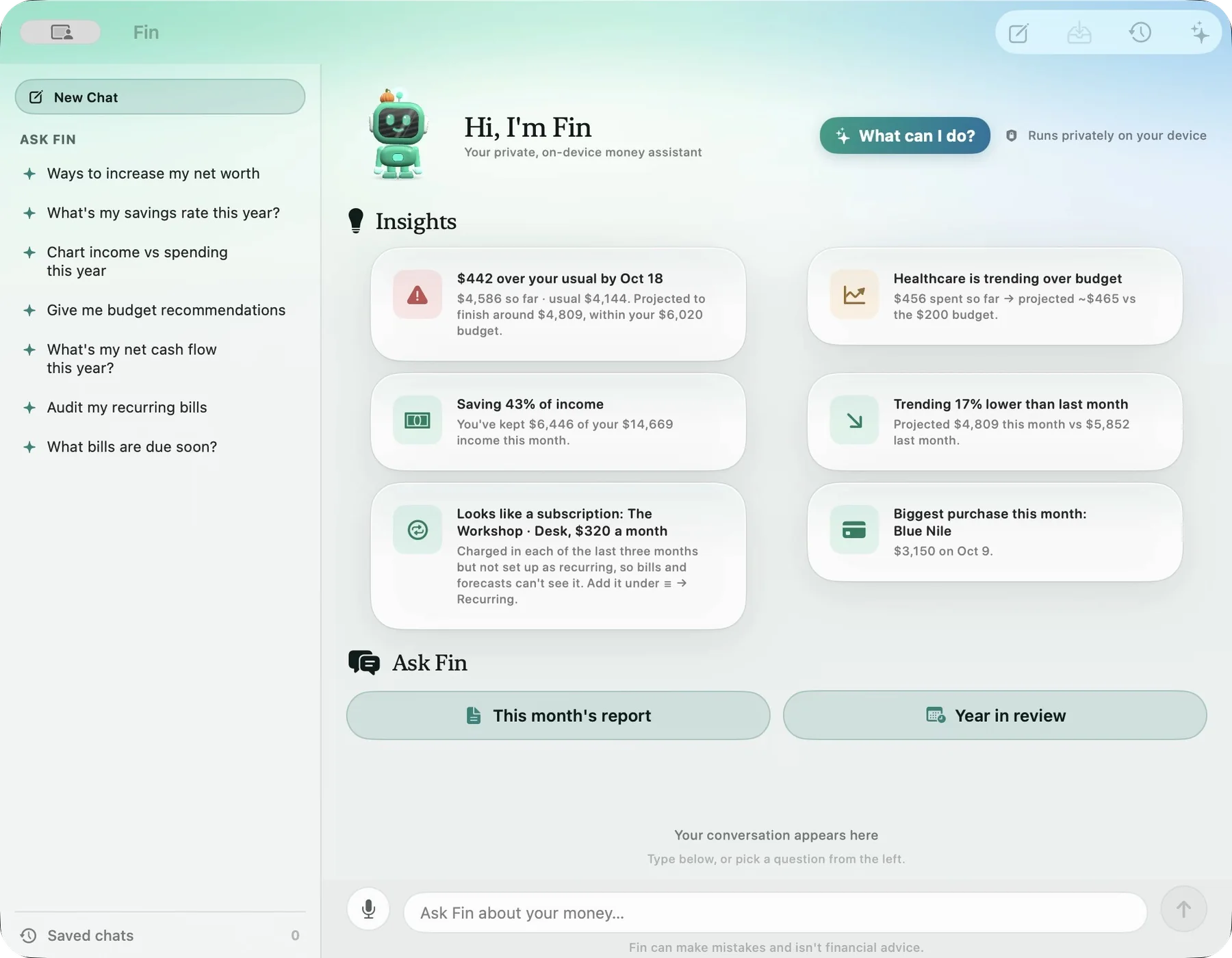
This is a preview. 3.0 is not out yet. The screens below are from the 3.0 build, with sample data. Simple Finance is free today, and 3.0 will arrive as an update.
01
A new look
Calm, glassy and made for the big screen too.
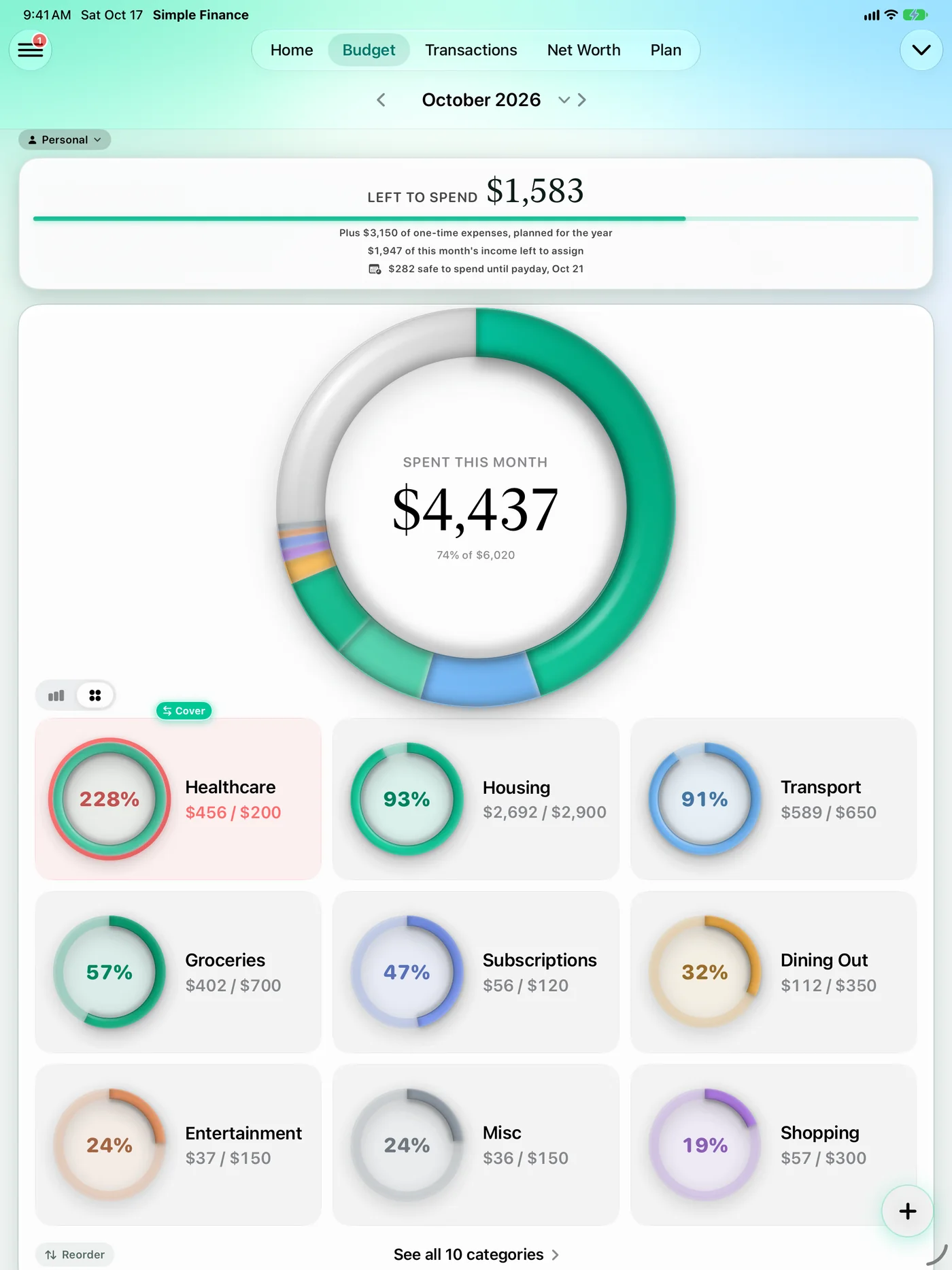
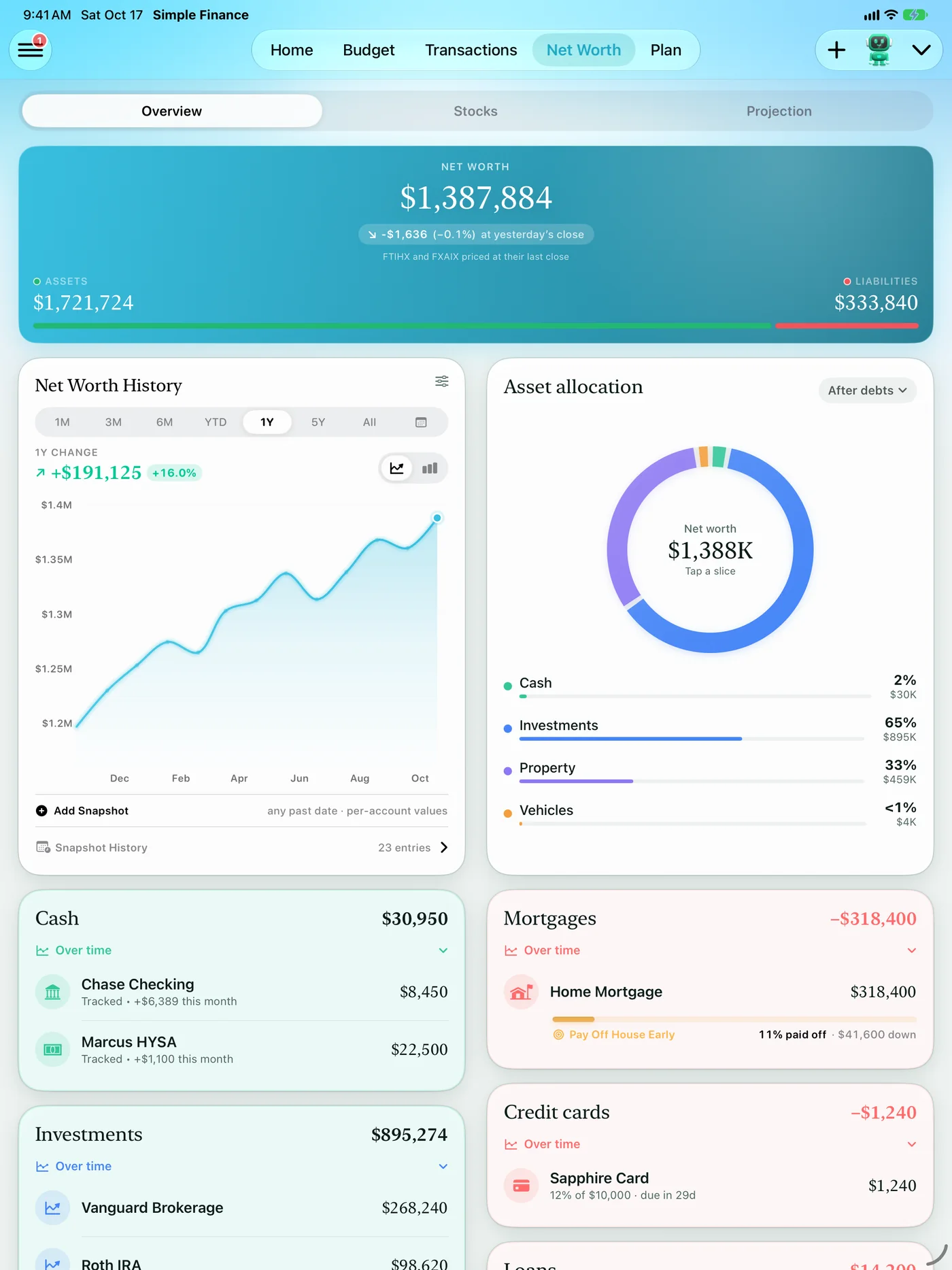
3.0 redesigns the app from the Home tab down: a soft sky colour for each section, serif figures you can read at a glance, rings and cards that feel like one family, and Liquid Glass buttons and bars that clear at rest and frost as the page slides under them.
Liquid Glass
Buttons, menus and top bars use Apple’s glass material, so the app sits right next to the rest of the system.
Premium screens on iPhone
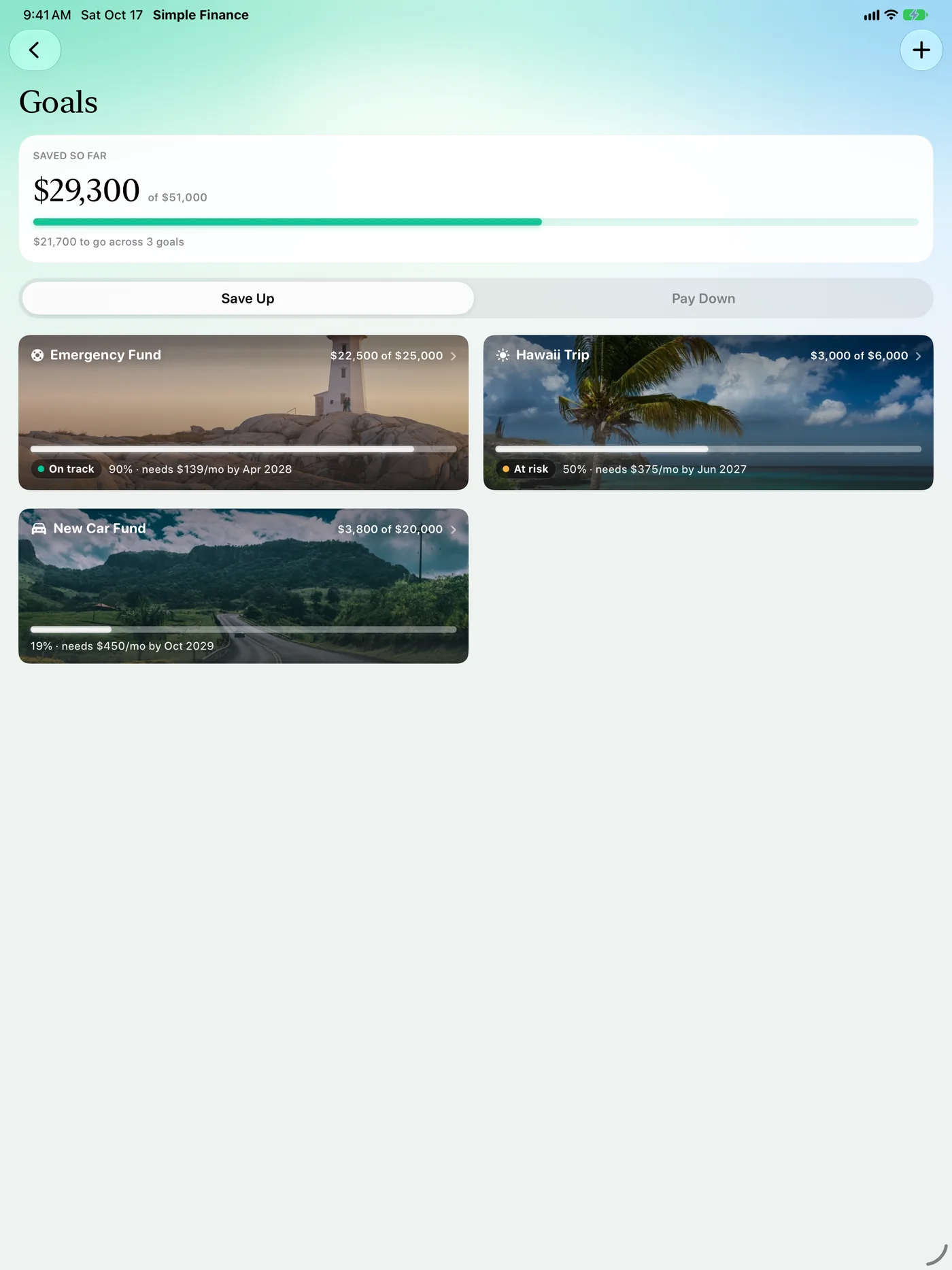
Budgets, net worth, bills, goals, plans and the screens behind them all share the new design — not just the tabs.
Roomier on iPad
Wider layouts and two-column empty states that use the space.
Redesigned for the Mac
The Mac app gets the same look in real windows, with a sidebar, toolbars and its own sharing layout.



02
Fin
Meet Fin, now alive.
Fin, the assistant built into the app, becomes a small 3D companion who waves, dances and reacts as you use the app — and gets a lot more useful. Fin runs on your device, so your questions stay on it.
- Does things for you: log or edit a transaction, add a bill or an account, change a budget or a rule
- Answers about your money — net worth over time, merchants, what’s left in a category
- Takes you anywhere: ask for almost any screen and Fin opens it
- How-to help, with the same step-by-step guides as the Help Center
- A What can I do? page of tap-to-try examples
- Can answer about what your partner shares with you, and start a no-spend challenge with them
- Sets the app up by chat: pay, bills, accounts, budget and a first goal, with a confirm before anything is saved


03
Sharing
Sharing, rebuilt around people.
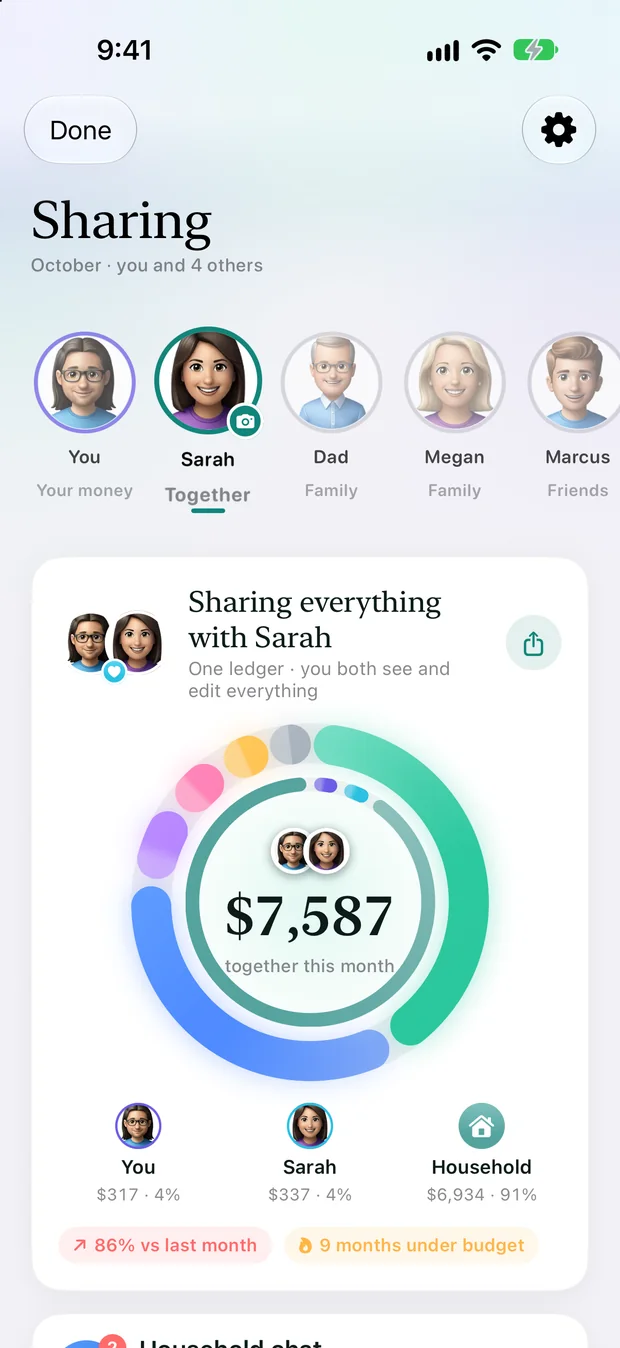
Pick how you share with each person — Together, Family or Friends — and the app builds the right pages for them.
- One chat per person, with conversations, replies, read receipts and an at-a-glance spending card
- Challenges with a partner or friends (no-spend days, scoreboards), pinned under the chat header while one runs
- Side-by-side pages: your month next to theirs, where it went, and what each of you can see
- “What they see of you”: choose, tile by tile, which figures a person gets
- Split a bill and settle up from the chat
- Everything travels through your own iCloud


04
Loans
Loan details for every loan.
Mortgages used to be the only loan with its own page. In 3.0 an auto loan, a student loan, a personal loan or a business loan gets the same one: the balance and how much is paid off, rate, term and start date, the monthly payment broken into principal, interest, taxes and insurance, a payment day, and Auto-Pay.


05
And more
Also in 3.0.
In Spanish
The new look, Fin and the how-to guides are available in Spanish.
Widgets, restyled
Home Screen widgets pick up the new look.
Clearer reports
Report Studio period chips and a statement that shows foreign accounts in their own currency.
Still private
No bank login, no ads, no analytics on your finances. Your data stays on your devices and in your own iCloud.

Get ready for 3.0.

Free — and free for life if you download now.
Mac iPhone iPad Apple Watch